AI Automation for Small Businesses: 10 Practical Ways to Save Hours Every Week
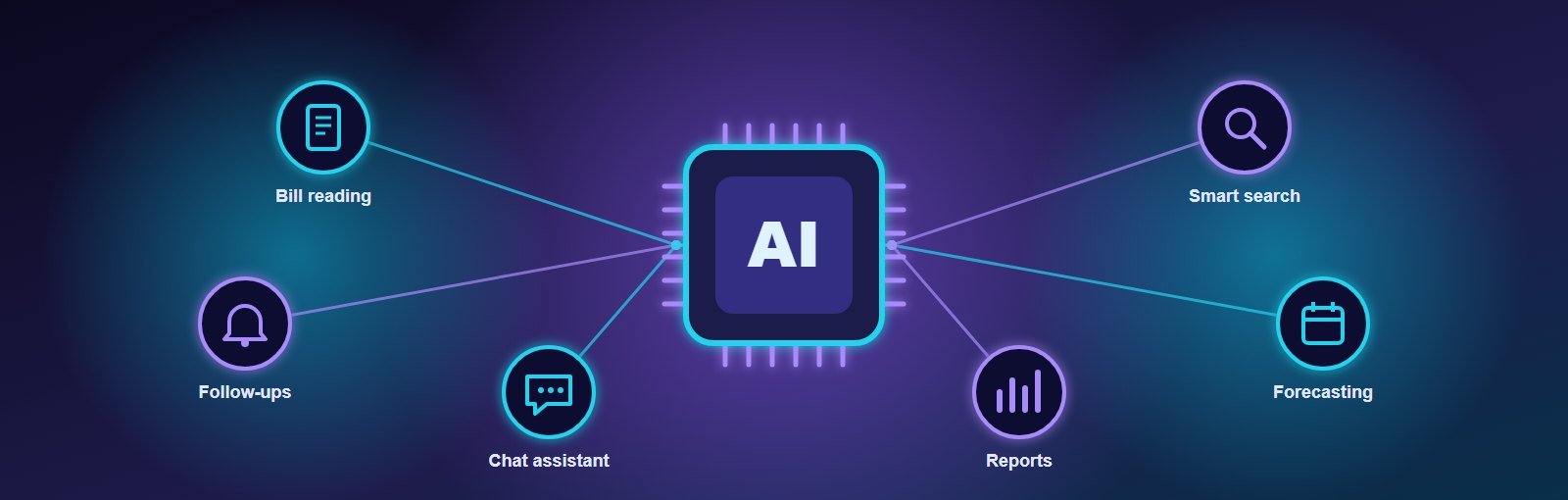
Ask any small business owner where the week goes and you will hear the same list: typing bills into software, chasing follow-ups, answering the same customer questions, preparing reports, searching for that one file. None of it grows the business — but all of it has to be done.
This is where AI automation is genuinely useful today. Not robots or science fiction, but practical tools that read documents, draft replies, remind people and summarise information. This guide covers ten realistic use cases, what they cost, the risks to watch for, and how to start without wasting money.
Key takeaways
- The best AI projects for small businesses remove repetitive work — data entry, follow-ups, first replies and reports.
- Start with one process that costs your team several hours a week, measure the time saved, then expand.
- Keep a human in the loop for anything that goes to customers or affects money.
- Protect customer data and follow India’s Digital Personal Data Protection (DPDP) Act.
What AI automation means for a small business
Automation means software does a task without someone doing it manually — sending a reminder, moving data from one place to another, creating a report. AI adds the ability to handle unstructured information: reading a scanned invoice, understanding a customer’s WhatsApp message, summarising a long document or spotting a pattern in sales data.
Together they let your existing software, CRM or WhatsApp do more of the routine work, so your team can focus on customers and decisions.
10 practical ways to use AI automation
1. Read bills and invoices automatically
AI document reading (OCR) can extract supplier name, GSTIN, invoice number, items and totals from photos or PDFs of purchase bills and fill them into your system for a quick human check. For businesses handling dozens of bills a week, this alone can save many hours.
2. Capture leads from business cards and enquiries
Scan a visiting card at an exhibition and have the contact created in your CRM, or let AI pull the name, requirement and budget out of an email or form message and assign it to the right salesperson.
3. Answer common customer questions instantly
An AI assistant on your website or WhatsApp can answer questions about timings, prices, availability and policies using your own documents — and hand over to a person for anything complex. Customers get instant replies at night; your team handles fewer repeated questions.
4. Smarter follow-up reminders
Instead of a fixed reminder for every lead, the system can prioritise leads that showed strong interest (opened a quotation, asked about delivery dates) and remind salespeople at the right time, with a suggested message.
5. Draft quotations and proposals
From a short note (“3 rooms, modular kitchen, mid-range finish”), AI can prepare a first draft of a quotation using your rate list and templates. A person reviews and sends it — in minutes instead of an hour.
6. Summarise meetings and calls
Recorded calls or meeting notes can be turned into a short summary with action items and deadlines, and the tasks created automatically in your project management system.
7. Plain-language reports
Instead of building reports manually every month, ask your system: “Which products sold most in Gujarat last quarter?” or “Show unpaid invoices older than 60 days” — and get the answer with a chart.
8. Stock and demand forecasting
Using your past sales, AI can suggest reorder quantities and warn before fast-moving items run out, reducing both stock-outs and dead stock.
9. Sort and route support requests
Incoming emails, tickets or messages can be classified (complaint, order status, new enquiry, payment) and sent to the right person automatically, with urgent ones flagged first.
10. Internal knowledge search
Policies, product specifications, past proposals and SOPs can be searchable in plain language, so new staff find answers without asking a senior every time.
Where to start: pick the right first project
| Good first project | Poor first project |
|---|---|
| Happens often (daily or weekly) | Happens a few times a year |
| Follows a clear pattern | Needs judgement on every case |
| Easy to check (e.g. bill totals) | Hard to verify if AI is right |
| Saves measurable hours | “Would be nice” with no clear time saving |
Simple way to estimate value: If two staff members each spend 6 hours a week entering bills, that is about 50 hours a month. Cutting it by 70% frees around 35 hours a month for sales, customer service or growth work — every month.
What does AI automation cost?
Costs come from three parts:
- Setting it up — connecting AI to your software, workflows and data, and testing it with real examples.
- Usage — most AI services charge per use (per document, message or request). For small business volumes this is often modest compared with staff time saved.
- Maintenance — adjusting prompts, rules and integrations as your business changes.
The most cost-effective approach is usually to add AI features inside the software you already use — or into a custom system built around your process — rather than buying many separate AI tools. Our guide on custom software vs ready-made software helps you decide which route fits.
Risks and how to manage them
- Accuracy: AI can make mistakes. Keep a review step for anything financial, legal or customer-facing, at least until results are proven.
- Data privacy: Customer and employee data is personal data under India’s DPDP Act. Use providers that do not train on your data, restrict access by role and keep records of consent where needed.
- Over-automation: Customers still value a human. Make it easy to reach a person, especially for complaints.
- Bias in decisions: Be careful using AI to screen job applicants or approve credit; keep humans responsible for those decisions.
A 30-day plan to get started
- Week 1: List repetitive tasks and estimate hours spent on each.
- Week 2: Pick one task, collect 20–50 real examples (bills, messages, reports).
- Week 3: Build or configure the automation and test it on those examples.
- Week 4: Run it alongside the manual process, compare accuracy and time saved, then switch over.
Build AI into software that fits your business
We build scalable business software — ERP, CRM, project management, HRMS, inventory and billing — with practical AI automation built in: document reading, smart reminders, chat assistants that answer from your own data, forecasting and automatic summaries. See our custom software development services. If customer enquiries are part of the workflow, our digital marketing team can connect your ads and website directly to the system.
FAQs
Is AI automation affordable for small businesses?
Yes, when it targets a specific, frequent task. Usage-based pricing means small volumes cost little, and the value comes from staff hours saved.
Will AI replace my staff?
In most small businesses, AI removes repetitive parts of jobs rather than whole roles. Teams spend more time on customers, sales and quality.
Can AI work with WhatsApp and my existing software?
Often, yes — through the WhatsApp Business Platform and the APIs or import/export options of your current tools. Compatibility should be checked before starting.
Is my data safe with AI tools?
It depends on the provider and setup. Choose services with clear data-protection terms, limit access by role and avoid sending unnecessary personal data.
About the author: Written by the software team at Expert Web Designing, Ahmedabad, building websites and business software since 2010. Book a free consultation to find the first process worth automating in your business.