
Why Every Local Business Needs a Google Business Profile
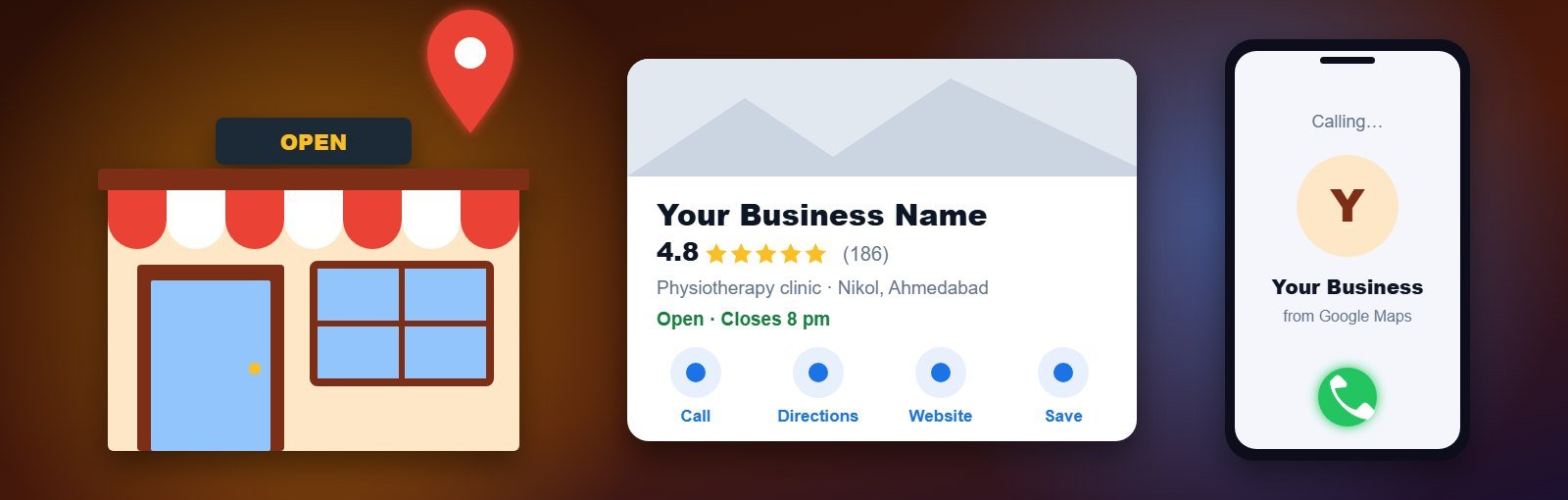
When someone nearby searches for “dentist near me”, “AC repair in Nikol” or “best caterers in Ahmedabad”, the first thing they usually see is not a website. It is a map with three business listings, each showing a star rating, opening hours, a call button and directions. Those listings come from Google Business Profile, and for most local businesses they are now the busiest “shop window” they have.
This guide explains what a Google Business Profile is, why it matters so much for local businesses, how to set one up correctly, and the mistakes that quietly keep good businesses out of the map results.
Key takeaways
- A Google Business Profile is free and controls how your business appears on Google Search and Google Maps.
- It lets customers call, get directions, read reviews and visit your website straight from the search results, often without visiting any other page.
- Google ranks local listings on relevance, distance and prominence. A complete, accurate, well-reviewed profile helps with all three.
What is a Google Business Profile?
A Google Business Profile (earlier called Google My Business, or GMB) is the free listing that shows your business name, category, address or service area, phone number, hours, photos, reviews and website on Google. Google renamed the product in 2021, but many people still search for “Google My Business”. Both names mean the same thing.
The profile appears in three main places:
- The local pack – the map with three listings that appears for searches with local intent.
- Google Maps – when people search or browse the map directly.
- The business panel – the large card shown on the right (or top, on mobile) when someone searches your business name.
Why every local business needs one
1. It is where local customers make decisions
For “near me” and city searches, the map listings sit above most website results. Customers compare ratings, photos and distance, then call or ask for directions. If your business is not there, the decision is made between your competitors.
2. Customers can contact you in one tap
Call, directions and website buttons are built into the listing. For a clinic, salon, restaurant or repair service, this is often the shortest path from search to enquiry.
3. Reviews build trust before the first conversation
Reviews are public proof that real people have used your service. A steady flow of honest reviews, and polite replies to them (including the negative ones), tells new customers what to expect and shows that someone is looking after the business.
4. Correct information prevents lost customers
Wrong hours or an old phone number cost you customers who never complain; they simply go to the next listing. Your profile lets you control this information, including special hours for festivals and holidays.
5. It costs nothing to start
Creating and managing a profile is free. Paid help is only needed if you want someone to optimize and manage it for you.
6. You can see what is working
The Performance section shows how people found your profile, the search terms they used, and how many calls, direction requests and website clicks it generated. This helps you judge whether local search is bringing real enquiries.
Example: Two physiotherapy clinics on the same road in Ahmedabad offer similar treatment. One has a verified profile with the right category, current hours, photos of the clinic and a regular stream of patient reviews with replies. The other has an unclaimed listing with an old phone number. When a patient searches “physiotherapist near me”, the first clinic is easier to find, easier to trust and easier to call. The service is the same; the profile makes the difference.
How Google decides which businesses to show
Google explains that local results are based mainly on three factors:
| Factor | What it means | What you can do |
|---|---|---|
| Relevance | How well your profile matches what the person searched for | Choose the right primary category, list your services and write an accurate description |
| Distance | How far your business is from the searcher or the location in the search | Use your real address or service area; you cannot fake distance |
| Prominence | How well known and trusted your business is, online and offline | Earn reviews, keep your website and listings consistent, and build local mentions |
For a detailed checklist on improving these signals, read our guide on how to rank higher on Google Maps.
How to set up your Google Business Profile
- Search for your business first. If a listing already exists, claim it instead of creating a new one. Duplicate listings cause confusion and can lead to suspension.
- Use your real business name. Write it exactly as it appears on your signboard and documents, without adding keywords or city names.
- Pick the most specific primary category. “Dental clinic” is better than “Doctor”. Add a few secondary categories only if they truly apply.
- Choose storefront or service area. If customers visit you, show your address. If you travel to customers (plumbers, pest control, home tutors), hide the address and set a service area.
- Add phone number, website and hours. Use a number that is answered during the hours you list.
- Verify the profile. Google may ask for a phone or email code, a short video showing your location and signage, or another method. Verification options depend on the business.
- Complete everything else. Add your services or products, a clear description, opening date, and real photos of your premises, team and work.
Common mistakes that hold profiles back
- Keyword-stuffed names such as “Sharma Dental – Best Dentist in Ahmedabad”. It may work briefly, but it breaks Google’s guidelines and is a common reason for suspension.
- Virtual office or co-working addresses where you are not present during business hours.
- Several profiles for one location, for example one per service.
- Buying reviews or offering rewards for them. Google removes them and can restrict the profile.
- Setting it up once and never opening it again. Hours, photos and services go out of date, and unanswered reviews look like nobody is home.
If your profile has already been restricted, our guide on what to do when a Google Business Profile is suspended explains how to fix the cause and appeal.
Your profile and your website work together
A profile brings people to your business; your website convinces the ones who want to know more. Keep your business name, address and phone number the same on both, add a contact page with a map, and create service pages that match the categories and services on your profile. Local SEO connects the two. Read how SEO helps local businesses get more customers from Google for the bigger picture.
Want help with your Google Business Profile?
Our Google Business Profile optimization services cover setup, verification support, category and service planning, photos, review management and monthly reporting, all within Google’s guidelines. For businesses that want to grow beyond the map, we combine it with local SEO and a fast, mobile-friendly website.
FAQs
Is Google Business Profile free?
Yes. Creating, verifying and managing a Google Business Profile is free. Google does not charge for the listing or for better positions on the map.
Is Google My Business the same as Google Business Profile?
Yes. Google My Business was renamed Google Business Profile in 2021. The listing works the same way; only the name and the way you manage it changed.
Can I create a profile if I do not have a shop or office?
Yes, if you serve customers in person at their location. Set up a service-area business, hide your address and list the areas you serve. Online-only businesses are not eligible.
How long does it take to appear on Google Maps?
A profile usually becomes visible soon after verification, but ranking well for competitive searches takes longer and depends on relevance, distance and prominence.
Can my business rank on Google Maps in other cities?
Distance is a major factor, so a profile mainly ranks near its location or service area. For other cities, focus on location pages on your website and real local presence rather than fake addresses.
About the author: Written by the local SEO team at Expert Web Designing, Ahmedabad, which has helped local businesses get found on Google since 2010. Contact us for a free review of your Google Business Profile.

