How to Rank Higher on Google Maps: 12 Google Business Profile Tips That Work
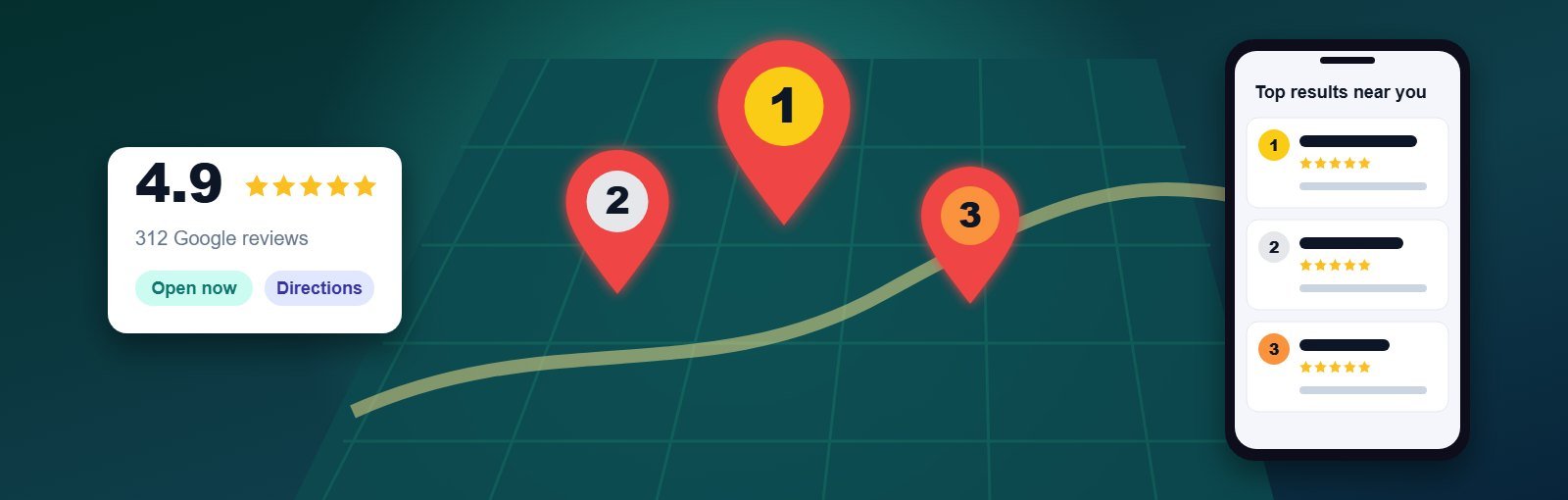
When someone searches “CA near me”, “best cafe in Satellite” or “AC repair Nikol”, Google shows a map with three businesses before any website appears. That box — the local 3-pack — gets a large share of calls and direction requests. If your business is not in it, most nearby customers will never scroll far enough to find you.
The good news: ranking higher on Google Maps is not a mystery. Google publicly says local results are based on three things, and every tip below improves at least one of them.
Key takeaways
- Google ranks local results on relevance, distance and prominence.
- Your primary category is the single most important setting in your profile.
- A steady flow of genuine reviews with replies builds prominence faster than anything else you control.
- Never add keywords to your business name or use a fake address — both can get your profile suspended.
How Google decides who ranks on Maps
- Relevance – how well your profile matches what the person searched for. Categories, services, products and your description drive this.
- Distance – how far your business is from the searcher (or the location in the search). You cannot change this, which is why you will rank differently in different parts of the city.
- Prominence – how well known and trusted your business is: reviews, ratings, mentions on other websites, and your website’s overall strength in search.
If you have not set up a profile yet, read why every local business needs a Google Business Profile first.
12 Google Business Profile optimization tips that actually move rankings
1. Choose the most accurate primary category
Your primary category tells Google what you are. Pick the most specific option that describes your main business — “Orthodontist” rather than “Dentist” if braces are your focus. Look at the categories used by the businesses already ranking in the 3-pack for your main search.
2. Add relevant secondary categories — but only real ones
Secondary categories help you appear for related searches. Add only those that genuinely describe services you offer at that location. Irrelevant categories dilute relevance and can trigger reviews by Google.
3. Use your real business name
Adding words like “Best SEO Company Ahmedabad” to your name may give a short-term boost, but it breaks Google’s guidelines and is one of the most common reasons profiles are suspended. Your name on Google should match your signboard and documents.
4. Complete every section
Fill in your address or service area, phone number, website, opening hours, special holiday hours, attributes (such as wheelchair access or online appointments) and the business description. A complete profile gives Google more signals to match you with searches.
5. List your services and products
Add each service with a short, plain-language description. Customers search for specific services (“root canal”, “GST registration”, “modular kitchen”), and the services list helps Google connect those searches to your profile.
6. Write a helpful business description
Use the 750 characters to explain what you do, who you serve and where. Mention your main services naturally — for customers, not for keyword density. Do not include links, offers or prices here.
7. Upload real photos regularly
Add photos of your shop front (so people recognise it), interior, team and actual work. Avoid stock images. Photos help customers choose you, and a regularly updated profile signals an active business.
8. Build a steady, honest review system
Reviews are the biggest prominence factor you control. Ask every satisfied customer, at the moment they are happiest, using a short link or QR code at the counter. Never buy reviews, offer discounts in exchange for them, or ask only happy customers through a filter — Google’s policies prohibit all of these.
9. Reply to every review
Thank positive reviewers by name and mention the service they used. Reply to negative reviews calmly, take the conversation offline, and explain how you fixed the issue. Future customers read your replies as much as the reviews.
10. Publish Google posts
Posts let you share offers, events and updates directly on your profile. One or two posts a month with a real photo keeps your profile fresh and gives customers a reason to act.
11. Keep your name, address and phone consistent everywhere
Your business name, address and phone number (NAP) should be identical on your website, Google, Justdial, IndiaMART, Facebook and other directories. Inconsistent details confuse both Google and customers.
12. Strengthen your website’s local signals
Your website supports your Maps ranking. Add a clear contact page with your address and embedded map, create a page for each main service, and add LocalBusiness schema markup. Our guide on how SEO helps local businesses get more customers from Google covers this in more depth.
Mistakes that hold back Google Maps rankings
| Mistake | Why it hurts | Fix |
|---|---|---|
| Keywords in the business name | Guideline violation; risk of suspension | Use your real, registered name |
| Virtual office or co-working address | Not eligible unless staffed with signage | Use your real location or a service-area profile |
| Duplicate profiles for one location | Splits reviews, confuses Google | Remove or merge duplicates |
| Wrong or missing hours | Customers arrive to a closed shop and leave bad reviews | Update regular and holiday hours |
| Ignoring reviews | Lower trust and fewer clicks | Reply within a few days, every time |
How long does it take to rank higher on Google Maps?
Fixing categories and completing your profile can show changes within a few weeks. Building prominence through reviews, citations and website improvements usually takes two to four months in a competitive area. Distance always matters, so measure progress across several locations in your city rather than from one spot.
To track results, check the Performance section of your Business Profile every month: calls, website clicks, direction requests and the searches people used to find you.
Need help ranking in the local 3-pack?
Our Google Business Profile optimization services cover setup, categories, photos, posts, review strategy and citations — using only guideline-safe methods. For long-term visibility beyond Maps, combine it with local SEO.
FAQs about ranking on Google Maps
Can I pay Google to rank higher on Google Maps?
Not in the organic results. You can run Google Ads with location assets to appear as an ad on Maps, but the organic 3-pack cannot be bought.
Why does my business rank in one area but not another?
Distance is a ranking factor, so results change depending on where the searcher is. You will naturally rank best close to your location.
Do reviews with keywords help rankings?
Customers naturally mentioning the service they received can help relevance, but you should never script or edit reviews. Focus on getting more genuine reviews.
Is Google My Business the same as Google Business Profile?
Yes. Google renamed Google My Business to Google Business Profile, but many people still use the old name.
About the author: Written by the local SEO team at Expert Web Designing, Ahmedabad, who have helped local businesses get found online since 2010. Want to know why competitors outrank you on Maps? Ask for a free profile audit.